
22jj Live Casino Slots
22jj puts live dealer tables, slot rooms and cricket-led sportsbook markets in one lobby — funded directly from JazzCash, Easypaisa or Raast without leaving your phone.
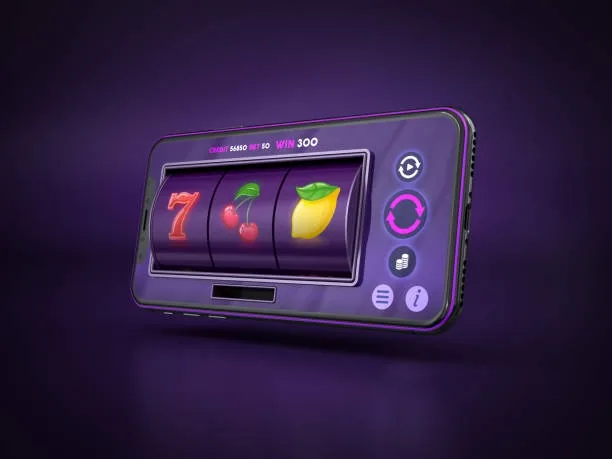
Pakistan payment context
JazzCash, Easypaisa, Raast JazzCash, Easypaisa, Raast and bank-transfer context is covered where access is allowed.
Built for phones, clear on desktop
Cards, tables, FAQ and policy pages stay easy to read on smaller screens.
22jj · Pakistan
Service availability depends on eligible regions and local law. Users should check local rules before opening an account.
What's Running This Week



Payment Methods for Pakistan
All deposits and withdrawals on 22jj run through local Pakistan payment rails. To deposit, open your wallet app, initiate a transfer to the account reference shown in the cashier, and confirm with your PIN — the transaction appears in your 22jj wallet as soon as our system receives confirmation. Withdrawals follow a verification step: we match the request against the account name registered with your wallet before releasing funds. JazzCash, Easypaisa and Raast are all supported; Bank Transfer and Debit Card are available for eligible accounts. Availability depends on local law and the eligible regions we serve.
JazzCash
Easypaisa
Raast
Bank Transfer
Debit Card
Play on Any Device
The 22jj lobby runs in your mobile browser on Android and iOS, and the full desktop layout gives you a wider view of live tables and the sportsbook — no separate app needed on any device.



Browse Everything 22jj Has Running
Step into the lobby and you'll find live tables, slot rooms, crash games and a full sportsbook — all in one place and ready to open from your mobile.
How Your 22jj Account Stays Secure
Account security on 22jj is layered across the connection, your login, your transactions and how your data is held. Each layer is independent — a problem at one does not compromise the others. If you notice anything unusual in your account activity, the support team can freeze access while we investigate. Here is what each protection covers.
SSL Connection
Every page on 22jj is served over an SSL-encrypted connection. Data moving between your browser or app and our servers is encrypted in transit, so your credentials and wallet details cannot be read in plain text.
OTP Login Verification
When you log in from a new device or after a session reset, we send a one-time PIN to the mobile number on your account. The login only completes after you enter that PIN, so a leaked password alone is not enough to access your account.
Transaction Records
Every deposit, withdrawal and wallet movement is logged against your account with a timestamp and reference number. You can review the full transaction history from the account area at any time, and our support team can pull the same records if you have a query.
Data Handling
Personal details and payment information are stored in access-controlled systems — only the processes that need your data to function can read it. We do not sell account data to third parties, and the full data handling policy is in the privacy section of the site.
Play 22jj from Any Device
The 22jj lobby is built for mobile from the ground up. Whether you are on Android or iOS, the game rooms, cashier and account settings load without needing a separate app download — just open the site in your browser and it adapts to your screen. Players in Lahore, Karachi and Islamabad reach the full lobby in seconds on a standard mobile connection. The desktop layout gives you a wider view for live tables, but everything available on desktop is also on mobile — nothing is locked to one device.

Support Channels on 22jj
If something is not working or you have a question about your account, there are three ways to reach us. Live chat is the fastest path for active issues. Email works best for document submissions or withdrawal queries that need a paper trail. The mobile help section inside your account covers the most common questions without needing to contact anyone.
Live Chat
The chat widget sits in the corner of every lobby page. Start a conversation directly without leaving the game room or cashier screen. Current availability hours are shown at the top of the chat window before you open it.
Email Support
For account verification, withdrawal documents or any query that needs a written record, email is the right channel. The address is on the contact page inside your account. Responses include a ticket reference you can quote for follow-up.
Account Help Centre
The in-account help section covers deposits, withdrawals, OTP issues and game queries with step-by-step answers. Accessible from the account menu on mobile — no need to switch to a desktop browser to find the information you need.
Member Offers on 22jj

See the current casino offer for new accounts in the promo board after you register — availability and conditions vary by region. Terms apply.
Open Your Account
A sportsbook offer for new members may be available in your region — check the offers section in your account after your first deposit. Terms apply.
Open Your AccountOpen Your 22jj Account in Seconds
Starting on 22jj takes less than a minute from your phone. Fill in your account details, verify with the OTP sent to your number, and your wallet is ready. From there you can switch between the slot rooms, live tables and sportsbook without logging in again. If you get stuck at any point, the support chat is right there on every page — no need to leave what you are doing.
Create Your Account
Register with your mobile number, set a password, and confirm the OTP. Your account and wallet are active straight away — no waiting period before you can browse or deposit.
Fund Your Wallet
Open your JazzCash, Easypaisa or Raast app, send to the account number shown in the deposit screen, and your wallet balance updates once the transfer clears on our side.
What's Available
The lobby covers live casino tables, slot rooms including Crash Rush and Slot SpinWin, and a sportsbook with PSL and international cricket markets — all reachable from the same account.
Need Help?
Live chat is available directly from the lobby. You can also reach the support team by email. Response times and hours are shown on the contact page inside your account area.
Explore What's Running in the Lobby
Baccarat GlistenZone
Cricket TargetBets
Holdem MiniBets
Roulette Speedway
Five Steps to the Lobby
Register
Enter your mobile number and set a password — the OTP arrives in seconds and your account is active immediately.
Deposit
Open JazzCash, Easypaisa or Raast, send to the reference in the cashier, and your wallet balance updates once the transfer clears.
Choose a Game
Use the category tabs to pick a live table, a slot room, or a cricket market — filters narrow the catalogue fast.
Start Playing
Enter the room or place your market selection — your wallet balance is always visible in the top bar so you stay in control.
Frequently Asked Questions about 22jj
Platform at a glance
Switch Between Casino, Slots and Sportsbook
The 22jj lobby is organised by category tabs at the top of the screen — Live Casino, Slots, Crash Games and Sportsbook sit as separate sections, and you switch between them with a single tap. Inside the slot section, use the provider filter to narrow to Pragmatic Play or PG Soft titles, or search by game name if you already know what you want. Live tables show current player counts and table limits before you enter, so you can pick a room that fits your session. The sportsbook section lists active cricket markets — including PSL fixtures and international matches — under a dedicated Sports tab.
Category Navigation
Tap Live Casino, Slots or Sportsbook from the top tab bar to move between sections. Your position in one section is saved when you switch to another — you come back to the same scroll point when you return.
Finding a Game
Use the search bar to find Crash Rush, Roulette Speedway, Football BlitzBet or any other title by name. The filter panel lets you sort by provider, game type or feature, narrowing a large catalogue to a short list quickly.
Live Table Selection
Each live table card shows the current bet range and the dealer name before you enter. Choose a Dragon Tiger or baccarat room that matches your session size rather than opening the first one you see — limits vary across rooms.
Account Area
Your account dashboard — wallet balance, transaction history, personal details and document uploads — is one tap from the account icon in the top bar. Deposit, withdraw and check your history without navigating away from the lobby.